
Tasks lists standalone tasks and tasks linked to gigs. You can filter the list, complete a task and open its gig.
Open Tasks
- In the side menu, under Planning, select Tasks.
Every member can read this page. Contributor or higher can create, edit and delete items in the active workspace.
A Reader can complete tasks assigned to them. Contributor or higher can complete any task in the active band. In an artist profile the list shows tasks assigned to you across your workspaces and bands, with the band name on the cards.
What the page contains
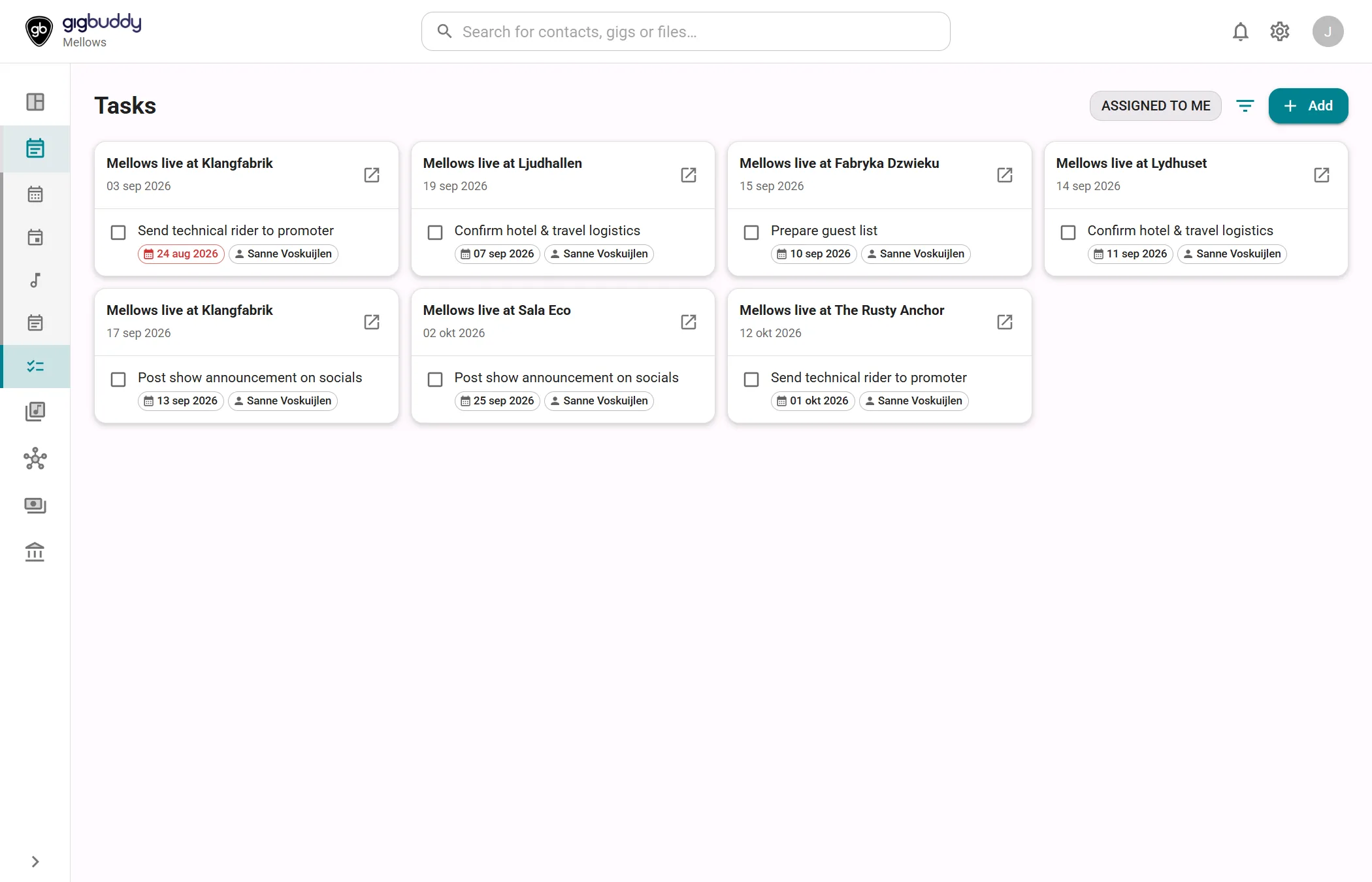
| Area | What it shows |
|---|---|
| Standalone cards | Each task without a linked gig has its own card. |
| Gig cards | Tasks linked to the same gig share a card headed by its description and date. Within a gig they are sorted by due date, with undated tasks last. |
| Task row | Title, completion box, optional due date and assignee avatar. An unfinished task with a due date before today has a red date badge. Finished titles are crossed out. |
| Open / Finished | Only Open starts selected. A finished gig task still stays visible while that gig has open tasks in the filtered list. Select Finished to show other completed tasks. |
| Assigned to me | Filters to your assignments in a band. Not offered on the artist aggregate list. On a phone it is inside Filters. |
| List limit | Loads at most 50 tasks; there is no Load more control. Filters apply to those loaded tasks. |
Actions
| Action | Where | What it does |
|---|---|---|
| Add | Toolbar | Creates a standalone task. To create a task linked to a gig, use the gig’s Tasks section. |
| Filters | Toolbar | Choose Open and/or Finished. All statuses selects or clears both. On a phone the assignment filter is also in this menu. |
| Completion box | Task row | Marks an unfinished task done. Disabled for tasks you cannot complete and for finished tasks. You cannot reopen a finished task from this list. |
| Select an unfinished task title | Task row | Edits a task in the active workspace, for Contributor or higher. Selecting another band’s standalone task switches to that band’s Tasks page. |
| Delete | While editing a task | Deletes the task. Contributor or higher. |
| Open gig | Gig card header | Opens the gig on its Tasks tab. For another band’s gig it switches to that band first. |
The linked gig of an existing task is fixed; editing the task does not change that link.