
Merchandise holds the products a band sells, their stock and their sales. From here you add and edit products, record sales, see the sales per product and, when Shopify is connected, import orders and record payouts.
Open Merchandise
- In the side menu, under Financial, select Merchandise.
The page is only available in a band. It is shown to a Financial admin or Admin. Changing products and recording sales needs Finance & accounting (Band Gold). On a plan without it the menu entry shows a diamond and an upgrade link.
Settings that change this page
| Setting | Where | Effect |
|---|---|---|
| Merchandise revenue account | Settings › Finance settings › Accounting Settings | Where the revenue of a sale is booked when the product has no revenue account of its own. |
| Integrations | Settings › Integrations | Connecting Shopify adds Import from Shopify and Record payment to this page. Both also need Integrations (incl. Bandsintown, TomTom, Resend) (Band Gold). |
What the page contains
| Area | What it shows |
|---|---|
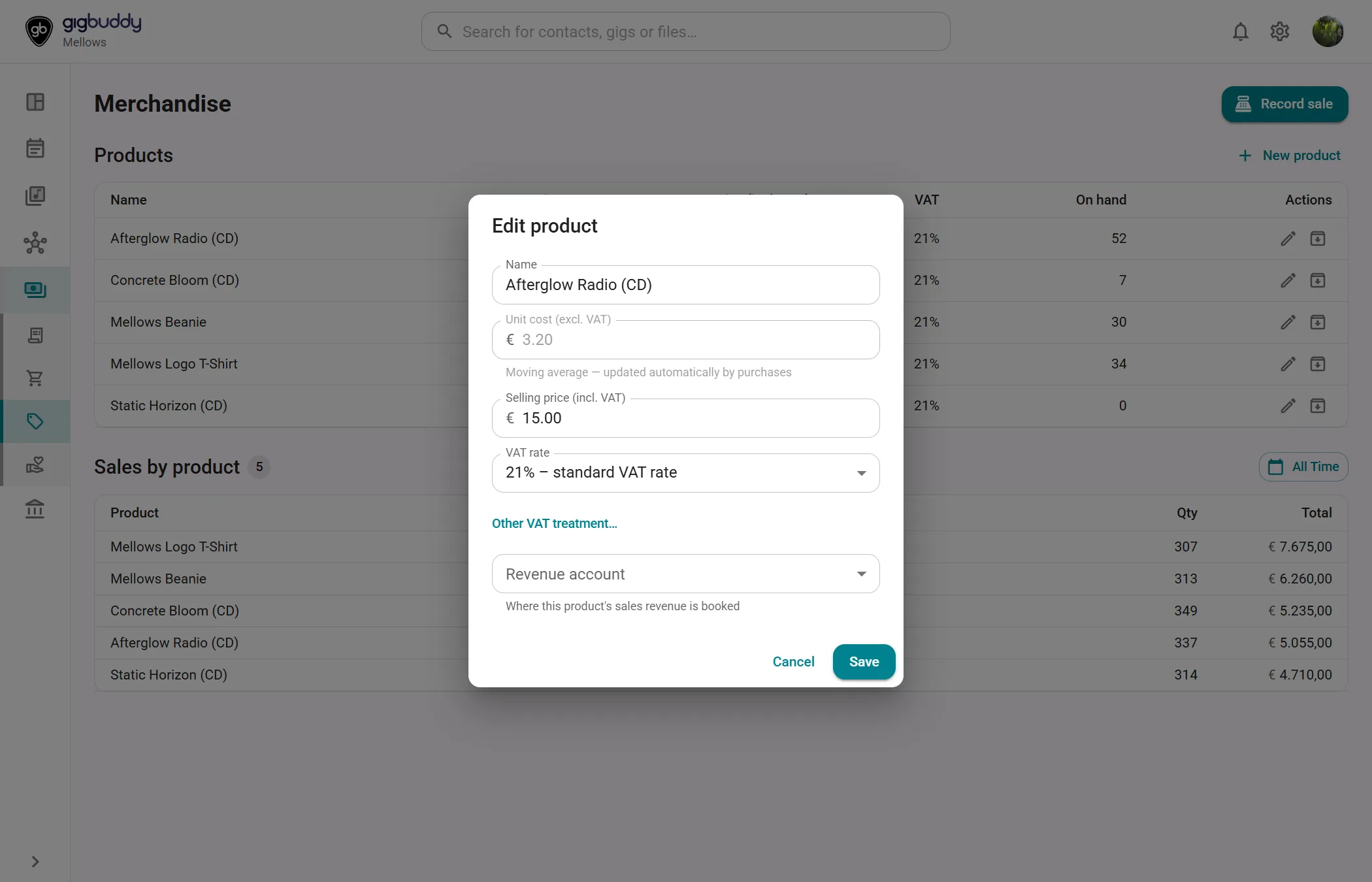
| Products | One row per product with the columns Name, Unit cost, Price (incl. VAT), VAT, On hand and Actions. On a phone each product is a card, for example €15.00 incl. 21% VAT · cost €3.20 and 52 on hand. |
| Show archived | The eye button, labelled Show archived products or Hide archived products. It appears when at least one product is archived. Archived products are faded and marked Archived. |
| Sales by product | The sales in the selected period, with the number of products that sold. A pie chart, Revenue share by product, and a chart of Monthly revenue by product show the revenue and the number sold per product. |
| Period button | Month, Quarter, Fiscal Year, All Time or a Custom Range. The page opens on All Time. |
Stock and unit cost
The On hand column is the stock of a product. Its help icon (About stock on hand) explains how stock is added: register a purchase under Purchases and link a line to the product, with Stock product (optional). Sales reduce the stock again. The Unit cost is a moving average that purchases update automatically. When a sale is booked, the cost of the goods is the unit cost at that moment. See How invoices, purchases and reimbursements are booked.
Actions
| Action | Where | What it does |
|---|---|---|
| New product | Toolbar | Adds a product, with a starting unit cost, a selling price including VAT, a VAT rate and optionally a revenue account. |
| Edit (pencil) | Row of a product | Edits the product. The unit cost shows Moving average — updated automatically by purchases. |
| Archive | Row of a product | Asks for confirmation, then archives the product. An archived product can no longer be sold or picked for a new sale. Its past sales and stock history stay, and it stays visible under Show archived products. This cannot be undone. |
| Record sale | Sales by product | Records a sale of a product: quantity, unit price including VAT, VAT rate, sale date, Paid into (Bank account or Cash on hand) and optionally a gig. Picking a product fills in its price and VAT rate. The sale is booked right away and reduces the stock. A sale linked to a gig is shown on the Finance tab of that gig. When no product has stock, a notice opens instead; it says to add the product and to register a purchase under Purchases that is linked to it. |
| Import from Shopify | Sales by product | Opens the import of Shopify orders. See Import orders from Shopify. Shown when Shopify is connected. |
| Record payment | Sales by product | Records Shopify or PayPal payouts on the bank account. See Record payment. Shown when Shopify is connected. |
On a phone these three buttons are in one menu, labelled More actions.