
Songs lists the repertoire of your current band or artist profile. Add or import songs, search the repertoire, group it by album and open a song or album to edit its details.
Open Songs
- In the side menu, under Repertoire, select Songs.
Every member can read the repertoire. Contributors, Financial admins and Admins can add and import songs. Reading songs and adding them manually or from CSV are available on every subscription level.
What the page contains
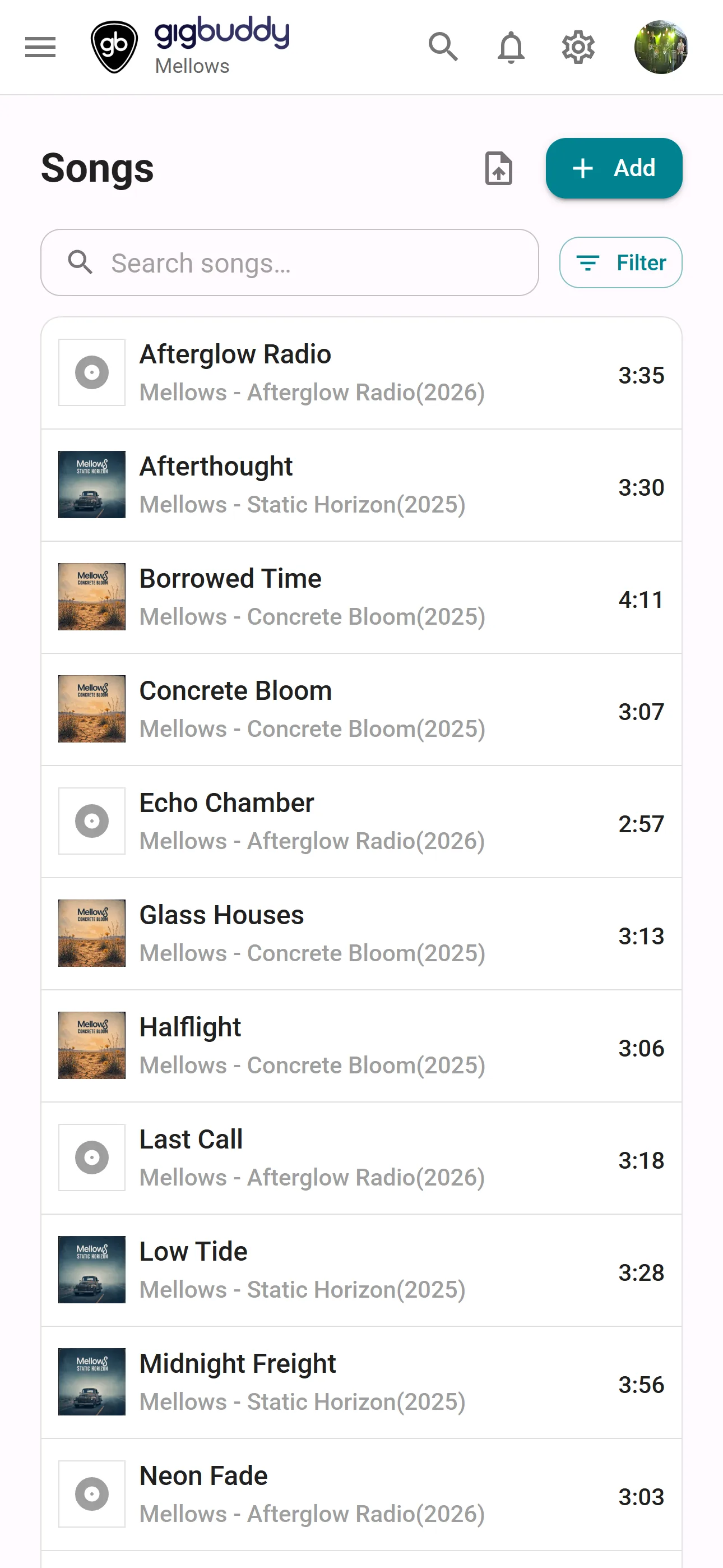
| Area | What it shows or does |
|---|---|
| Search songs… | Searches title, artist, album title, album release date, key and tags. Search works together with the album filter in both views. |
| Filter | Choose which albums to include. All albums selects or clears all choices; No album includes songs without an album. |
| Show songs | Shows one row per song. On a wide screen the columns are the cover, Title, Album, Key, Tempo, Duration and Tags. The artist appears below the title and the release year below the album. |
| Song cards | On a phone, the song view uses cards showing the cover, title, artist, album, release year and duration. |
| Column headings | In the table, select a text column heading to sort ascending; select it again to reverse the order. The initial order is by title. |
| Pagination | In the song view, move between pages and choose 25, 50 or 100 songs per page. The initial page size is 50. |
| Group by album | Groups songs under album headings with the album art, artist and release year. Albums are ordered by title and their songs by track order. Songs without an album appear last under No album. Select an album heading to open its details or a song to open that song. |
Your choice between Show songs and Group by album is remembered in this browser.
Actions
| Action | Where | What it does |
|---|---|---|
| Add | Header | Adds a song and opens its details. |
| Import | Header | Opens the import menu. |
| From CSV… | Import menu | Opens Import songs from CSV to map columns and import songs. |
| From ChordPro file (.pro)… | Import menu | Choose one ChordPro file. Creates a song from its title, artist, key, tempo and lyrics, attaches the chart and opens the song. Accepts .cho, .pro, .chopro, .chordpro, .crd and .chord, up to 512 KB. Needs Sheet music & ChordPro, on Band Silver or higher or Artist Gold. |
| From a setlist… | Import menu | Imports a photographed or scanned setlist, can add songs to the repertoire and opens the created setlist. Available in a band. See Import setlist. |
| Import from Spotify (Experimental) | Import menu | Finds songs from the workspace's Spotify artist profile for review and import. Appears when that profile has a Spotify artist link. Needs Integrations, on Band Silver or higher or Artist Gold. See Import from Spotify (Experimental). |
Without the subscription feature, the corresponding import option shows a diamond and an upgrade link.
Song and album details
Select a song to open Song details. In Group by album, select an album heading to open Album details. On a wide screen the details open beside the list; on a phone they replace it. From a song you can also open the Lead sheets (ChordPro) viewer and editor.